
Buying guide · reviewed 21 October 2026
Order the right CNFans variant: product line, payment, QC and delivery
The meaningful unit of an order is a complete option combination. A color name may also choose lining, a package entry may change the number of pieces, and a low-priced line may be a deposit rather than the garment. Keep that whole combination visible through purchase and warehouse inspection.
Prepare and pay for the purchase
Open the original product menu
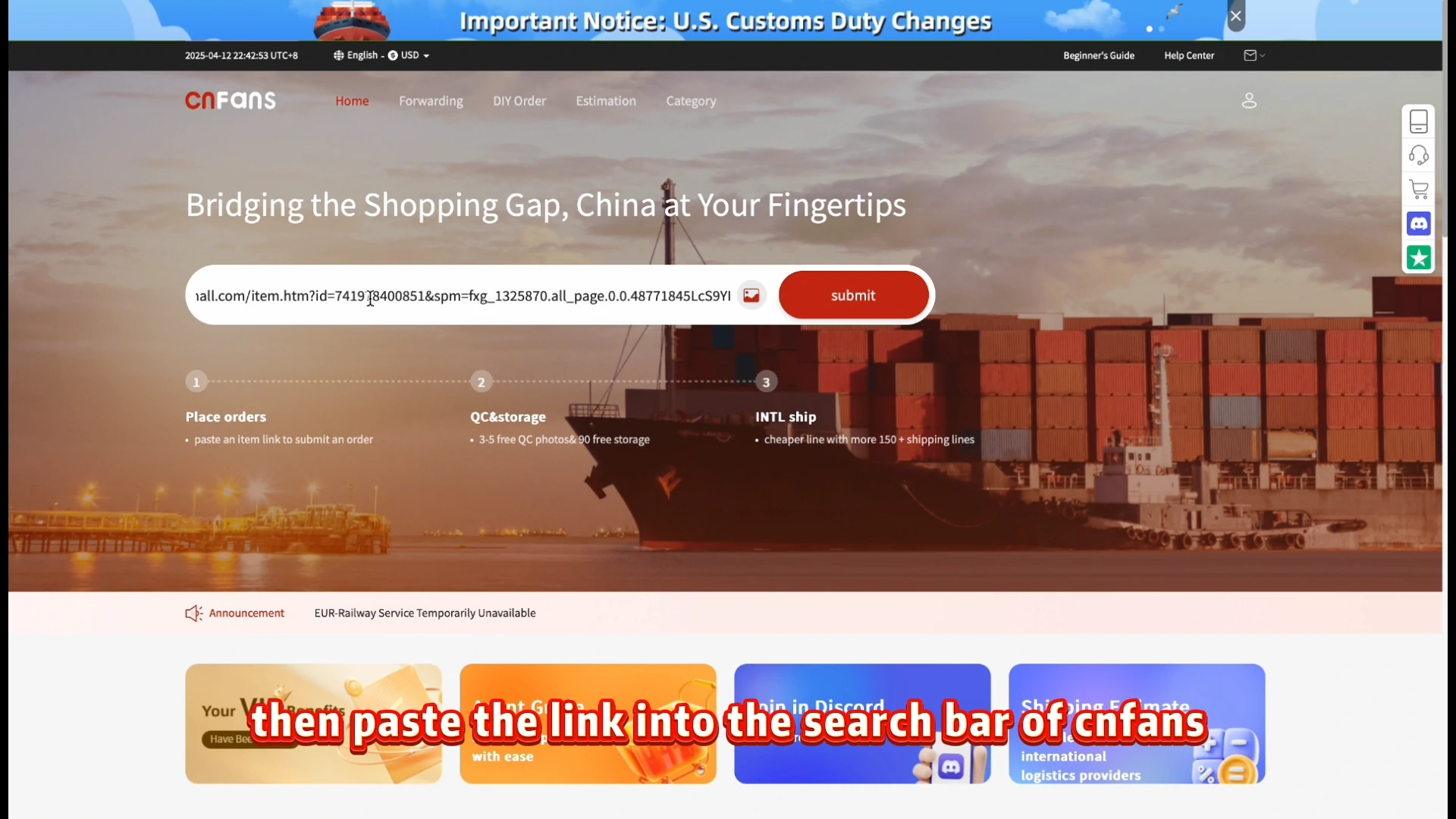
Browse or search the Spreadsheet, then open the seller page behind a useful card. Read the original option menu and copy the product link into the agent’s search when service is available. A starting price is not a quote for every option. If the low line is a keyring, deposit, postage payment or empty package, it does not buy the sweatshirt shown in the main photograph.
Write down the complete option combination
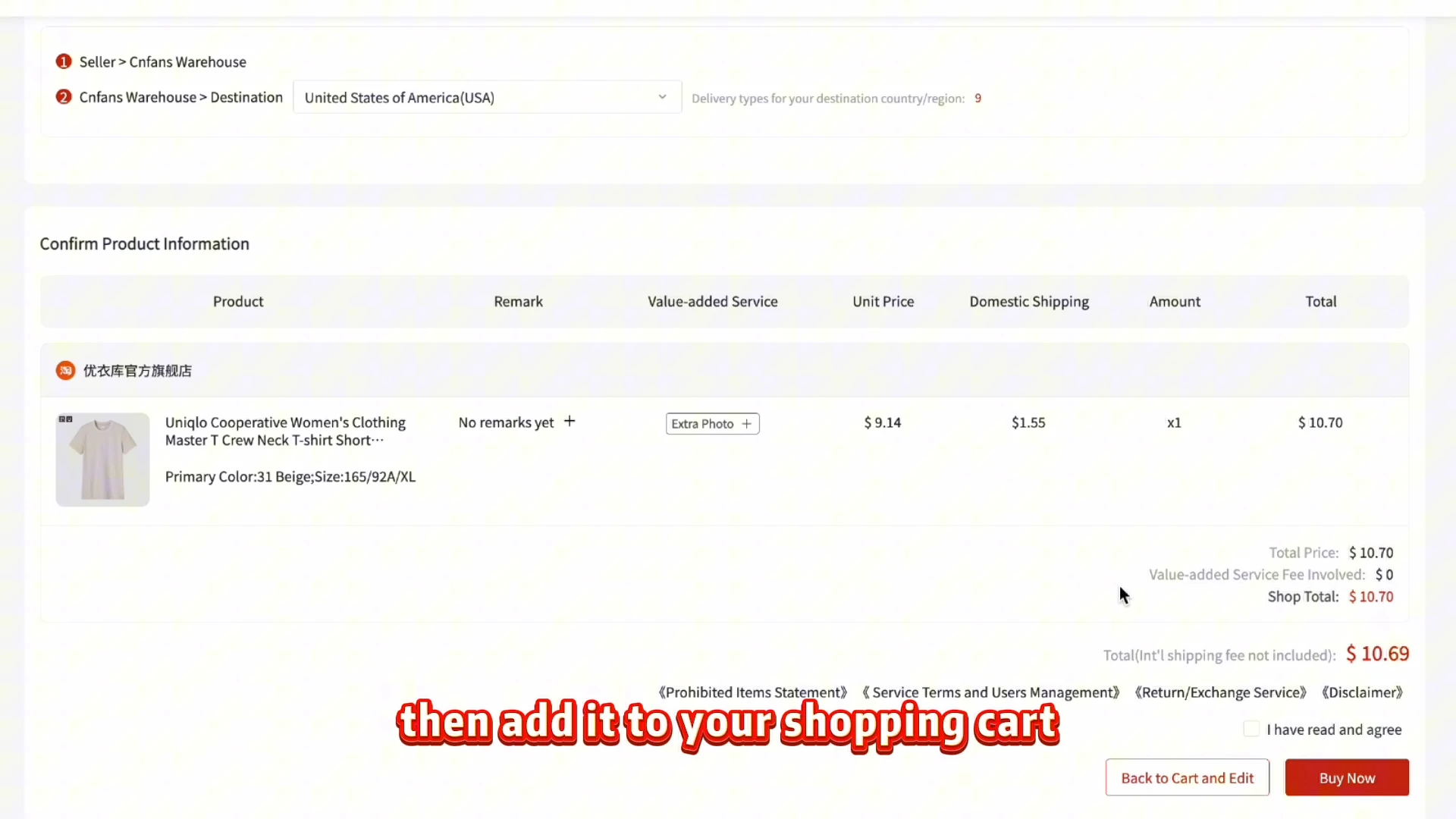
Record each dimension of the selection: color or model, size, lining, pack and quantity. Keep any code in the original wording so the purchaser can identify the exact row. Check the confirmation screen after choosing; the screenshot below shows that review, not the option picker. If changing one choice changes another, verify the final combination rather than relying on your first click.
Check what the first payment is buying
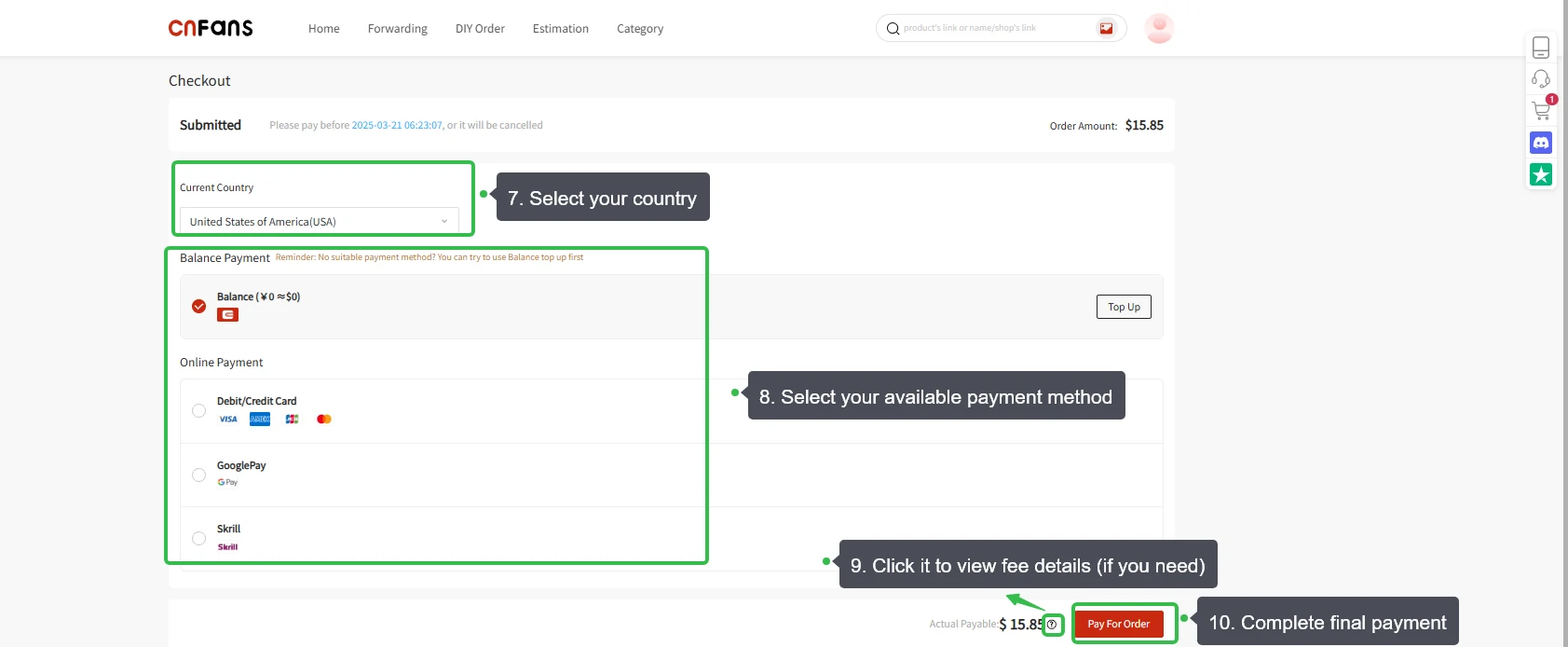
Read the price for the selected goods, the domestic delivery charge and the checkout’s applicable extras. If the seller uses a deposit and balance arrangement, get the full obligation clarified before assuming the first amount buys a complete item. International freight is a separate later payment. Historical checkout options and figures do not establish current terms.
Purchase and warehouse
Let the purchaser confirm stock for that line
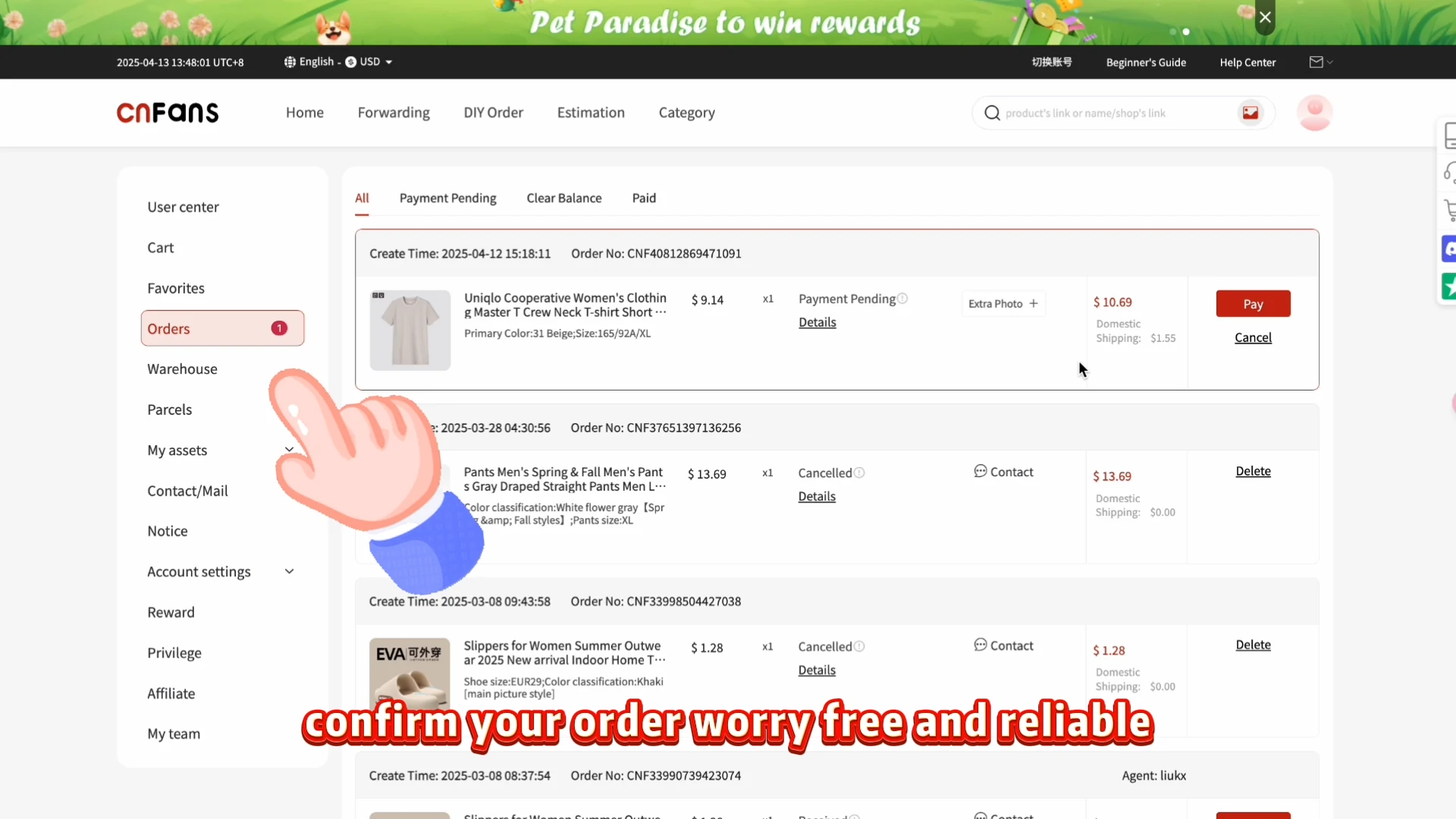
The agent must accept the request and purchase that exact option. The displayed stock count may have changed, particularly for a popular size. Read requests about substitutions or additional payment and respond with the full specification. The example Orders image includes pending and cancelled records; it illustrates the place to read a status, not a guarantee that the variant was secured.
Track the seller shipment for the selected goods
After purchase, the seller sends the goods to the warehouse in China. Track that domestic leg for the order. A two-pack arriving as two pieces differs from two separate seller orders, so keep the unit and quantity clear. Warehouse receipt and photo processing follow delivery; a seller dispatch notice is not yet a QC record.
Match the warehouse item to the order line
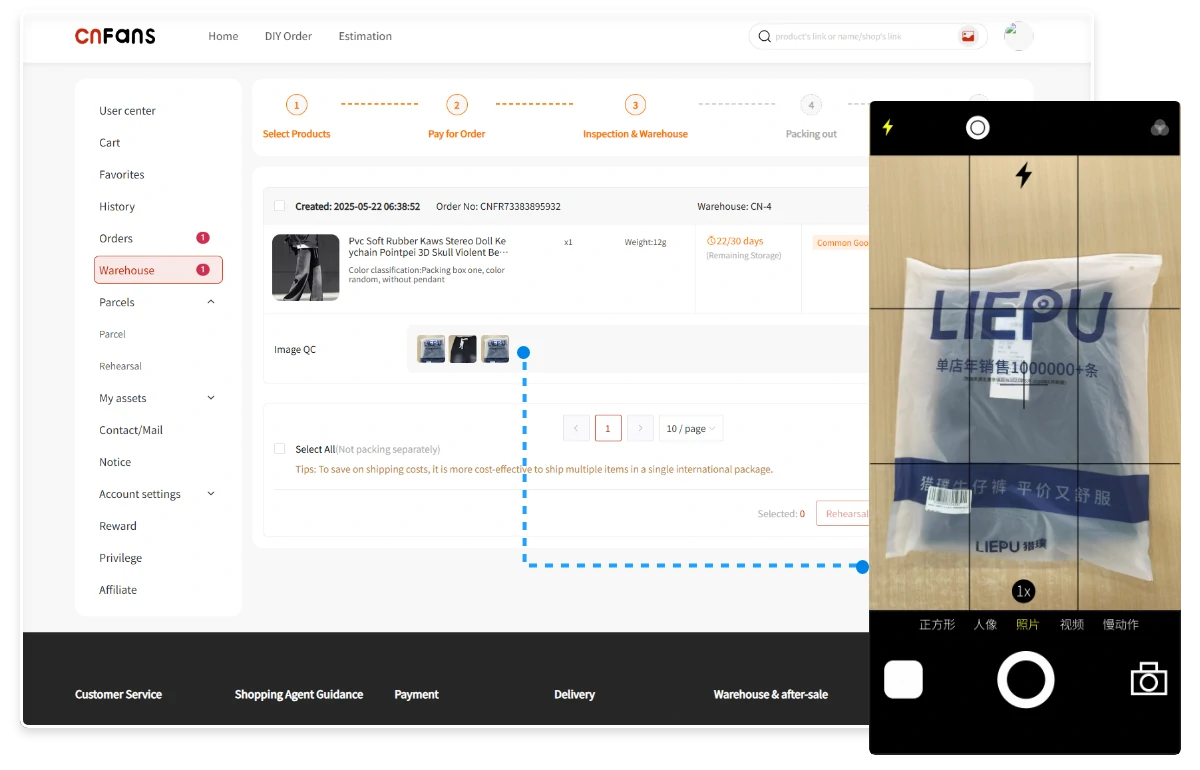
Compare visible color, size label, lining where observable, accessories and piece count with the confirmed variant. Ask for a particular view when the detail that distinguished the option is hidden. The Warehouse/QC example only shows the interface and example images. A photograph of packaging alone may not establish what lining, size or number of pieces is inside.
International parcel
Select confirmed items for outbound shipping
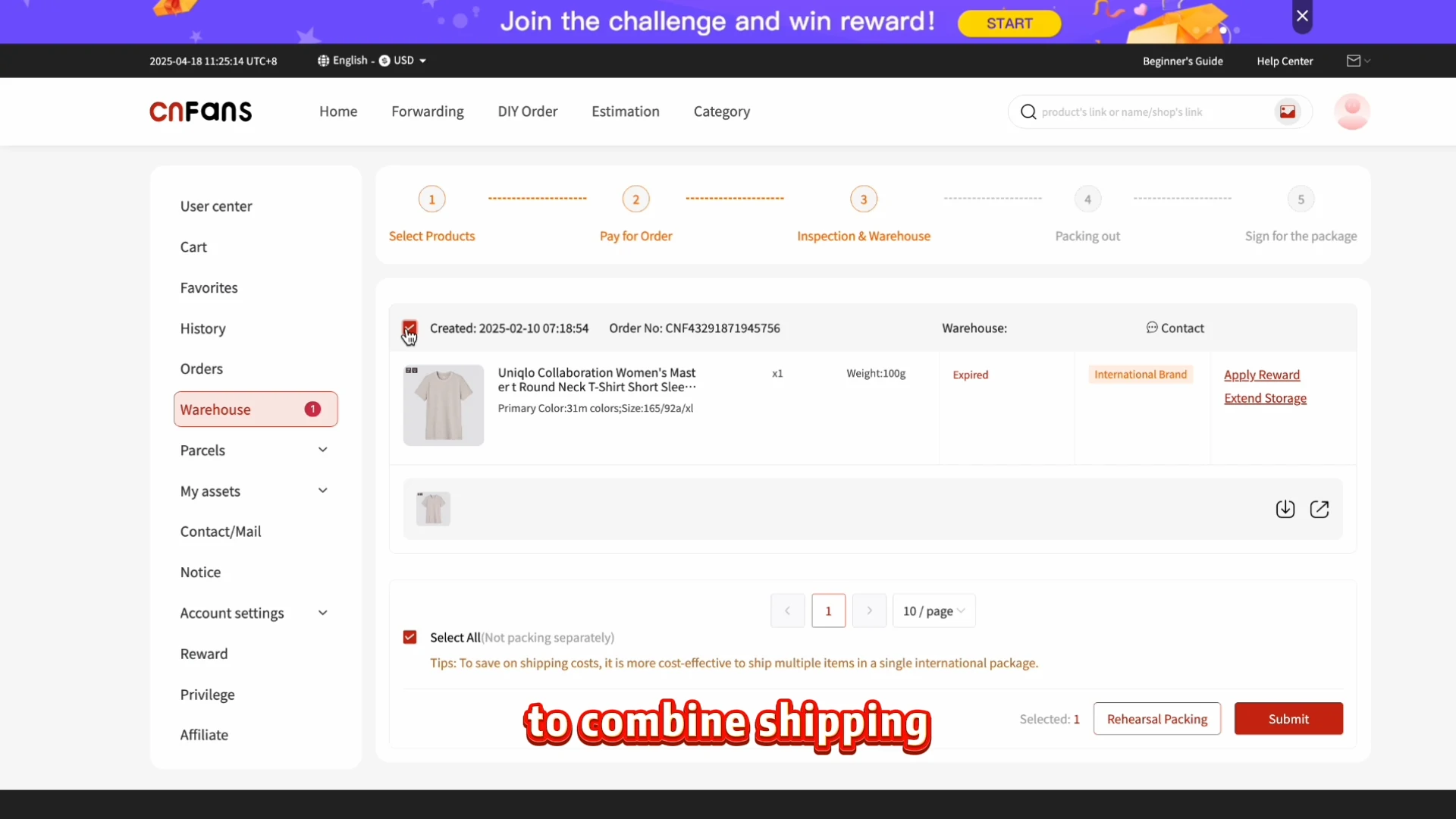
Include only eligible items whose variant questions are resolved. Check the warehouse quantities and any storage notice before requesting outbound shipment. The historical screen includes an Expired example, which must be handled rather than ignored. For sets or bundles, make sure the parcel selection reflects all intended components and does not accidentally include only one piece.
Review packing and the freight total
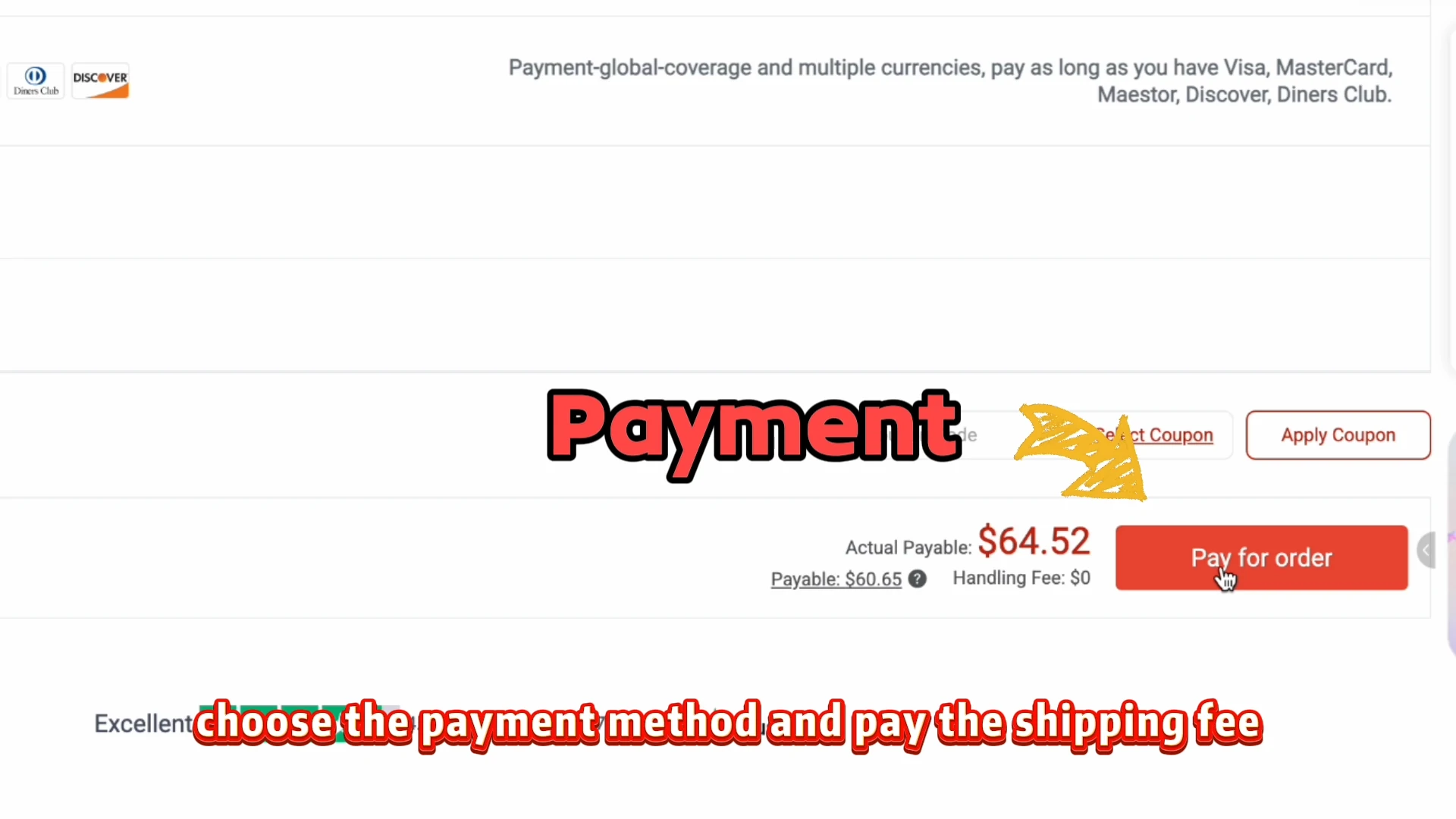
The selected variant affects weight and packing: a fleece-lined larger size or multi-pack may ship differently from the cheapest card option. Compare offered routes using the actual contents and destination, and review chargeable weight and packing choices. Pay the separate international freight after checking its total and conditions. The old freight amount is an illustration only.
Receive the parcel and count the pieces
Follow dispatch and carrier updates, then count and inspect the goods at receipt. Compare the physical label and bundle contents with the full option specification you saved. Keep the outer packaging and clear photographs if something is missing or different. Support is more actionable with an order reference and the exact wrong line than with the statement that the product looked different.
Watch the historical official tutorial
The video shows the interface of its time. Its prices, payment options, promotions and storage wording are historical examples, not current terms.
Open the video player
If the video does not load, follow the nine illustrated steps in this guide. They cover the complete workflow without depending on the player.
Questions before starting
Does a Spreadsheet sell the item?
It is a discovery catalog and guide. The seller supplies the listing and variant; the agent handles a purchase request when its service is available.
Does the first payment include international shipping?
Not in the documented historical workflow. Goods and domestic delivery are handled first; international freight is quoted and paid after the warehouse stage.
Does a QC photograph approve the product?
No. It shows visible evidence to compare with your chosen variant. Missing details need a specific question, and a photograph cannot prove every quality or authenticity claim.
Can I order while the site shows a maintenance notice?
This guide does not establish an available checkout. It documents the historical process; verify the current official service before paying.
What this Spreadsheet helps you decide
The sample menu teaches how option choices affect price and quantity. It is a clearly labeled example, not a live shop. Use the guide below to connect those choices to the actual CNFans purchase sequence.
- Decode option names
- Count what a bundle contains
- Recognize payment-only lines
- Write an exact order note
Current listing details and order messages take priority over an old screenshot. Use the detailed guide and help pages for costs, QC questions, shipping and the decisions that need a response from the agent. Help and questions.
The product is the complete option, not the smallest number
A Spreadsheet card locates a listing. The seller’s option menu defines what a chosen line contains; the purchasing agent handles that request when its service is available. Record the original option wording, picture, size, lining or length, quantity and whether the line buys a garment, a set or a payment-only item.
The Swatchbook simulator uses invented values to show how selection changes a result. It does not fetch current stock or verify a seller. Use a real listing and the purchaser’s confirmation for the actual choice. A round stock number and a varied one are both displayed values, not evidence of the seller’s counting process.
| Before purchase | At the warehouse |
|---|---|
| Save the full option and quantity | Match labels and count the pieces received. |
| Clarify single piece versus set | Check that the named components are visible or counted. |
| Record disclosed condition or accessories | Request the relevant detail rather than a generic overall view. |
| State whether substitution is allowed | Question a different option before approving dispatch. |
Do not accept an unexplained exception to unlock storage
Compare the order option, the visible tag and any requested measurement. A wrong label is different from a correctly labelled size that may not fit. If a useful view is absent, request that view with cost and availability confirmed. GL/RL is informal photo feedback, not an agent decision or a refund entitlement.
For a return or exchange, save the listing as ordered, the actual label and the support response. Ask for the reason if a remedy is refused, any remaining option, responsibility for transport and the relevant deadline. Do this before the parcel leaves the warehouse where possible.
Reconcile piece count, money and freight
A two-piece set and two units are different quantities. Write the physical piece count next to the seller quantity, then verify the first bill: goods, domestic delivery and stated service or funding charges. Use the payable currency and include conversion costs rather than copying a displayed catalog conversion.
Payment to the agent is not proof of seller purchase. Check every item’s stage and preserve payment references if the bank and platform disagree. A cancelled option may move through refund approval, platform credit and a separate withdrawal; identify which event is missing instead of treating them as one transfer.
Record return and storage dates independently. For freight, choose the eligible items and confirm packing, packed dimensions, scale weight and route billable weight. The cheapest option in the original listing says nothing about the parcel charge. Read the selected service’s restrictions, coverage and destination charges before the second payment.